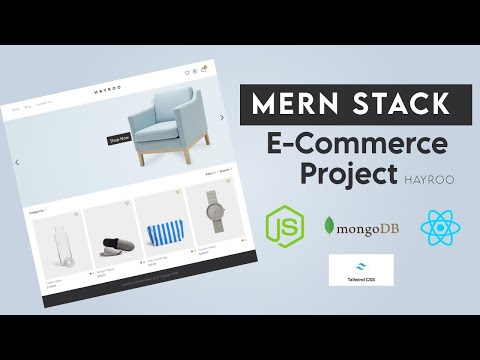
These instructions will get you a copy of the project up and running on your local machine for development and testing purposes.
NPM / Yarn and Node.js installed
Installing NPM modules on both client and server folders
Execute these commands from the project directory
cd client && npm install
cd server && npm install
Open a terminal on server directory
npm run start:dev
and open another terminal on client directory
npm run start
Access the web app at http://localhost:3000/
AuroraMart is a MERN e‑commerce app:
- Client: React (shop UI, admin UI, auth, checkout)
- Server: Node/Express (REST API), MongoDB with Mongoose, Braintree payments
Key capabilities:
- Admin: create categories and products (with images), view orders, dashboards
- Users: sign up/sign in, browse products, wishlist/cart, checkout, reviews, profile and orders
When you first run the app, the shop is empty because there are no categories/products yet. To populate:
- Create an admin account (see
server/README.md“Admin signup note”). - Log in and open the admin panel in the UI.
- Add categories (with images) and then products under those categories.
- Return to the shop — products now appear for customers.
All data is stored in MongoDB. Uploaded images are stored under server/public/uploads/ and served statically by the server.
Create a server/.env with at least:
DATABASE=mongodb+srv://<username>:<password>@<cluster>.mongodb.net/AuroraMart?retryWrites=true&w=majority
PORT=8000
BRAINTREE_MERCHANT_ID=your_sandbox_merchant_id
BRAINTREE_PUBLIC_KEY=your_sandbox_public_key
BRAINTREE_PRIVATE_KEY=your_sandbox_private_key
JWT_SECRET=your_secret_here
See server/README.md for MongoDB Atlas setup and Braintree Sandbox details.
- Client on Node 18/20 may show OpenSSL/webpack error. Quick fix (PowerShell):
$env:NODE_OPTIONS="--openssl-legacy-provider"; npm start
- Server shows “Database Not Connected !!!” → set a valid
DATABASEconnection string and ensure your IP is allowed in Atlas.
- Client docs:
client/README.md - Server docs:
server/README.md