Releases: bjlida/GenCode
Releases · bjlida/GenCode
Release list
GenCode/灵码ADE v1.0.0

GenCode / 灵码ADE v1.0.0
首个正式版本。AI 原生终端 + 轻量开发工作空间,全中文界面,开箱即用,无遥测,无账户系统。
First stable release. AI-native terminal + lightweight dev workspace. Chinese-first UI, BYOK, no telemetry, no accounts.
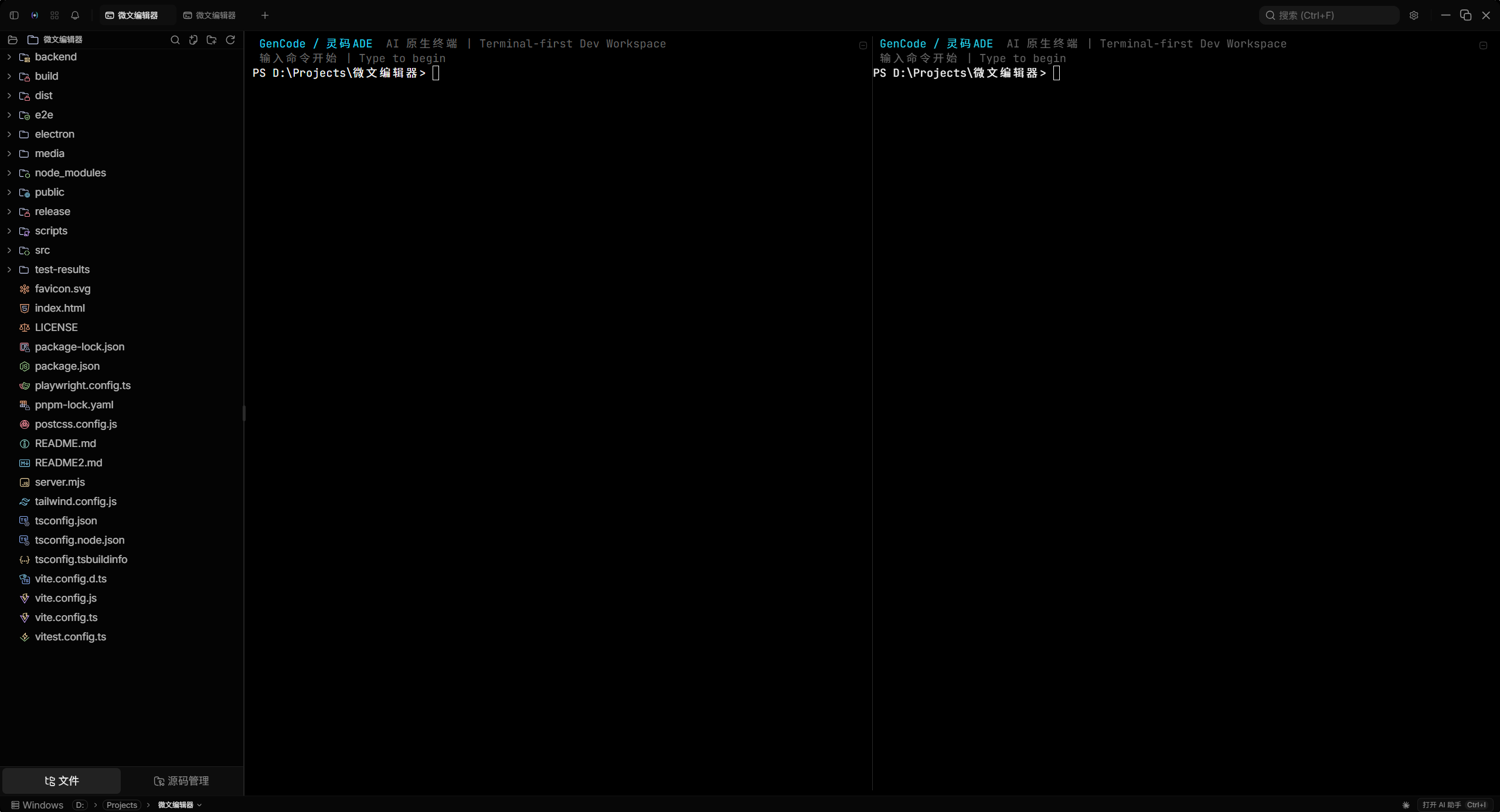
界面预览 / Screenshots
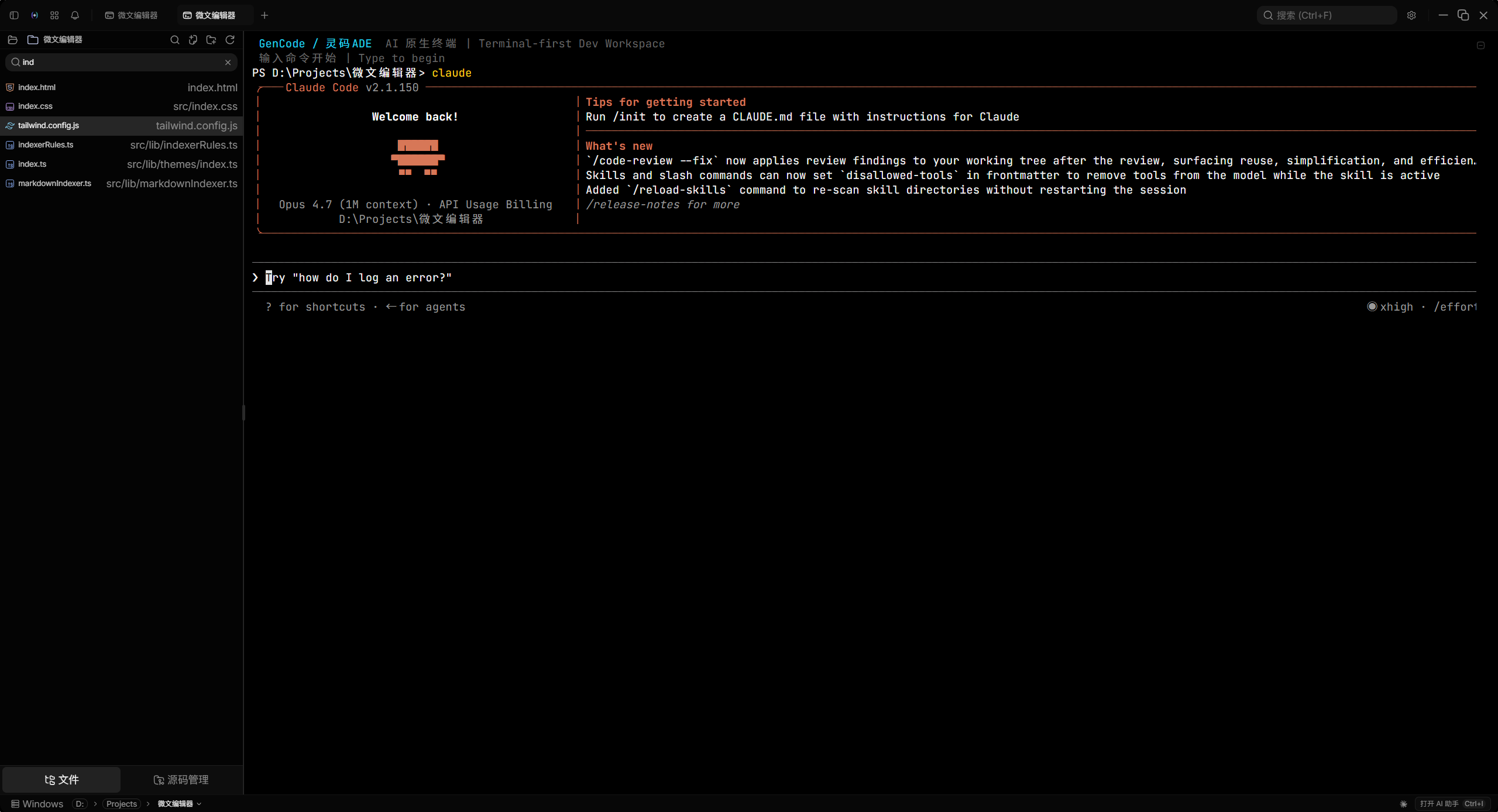
| 浅色主题 / Light | 拆分终端 / Split terminal |
|---|---|
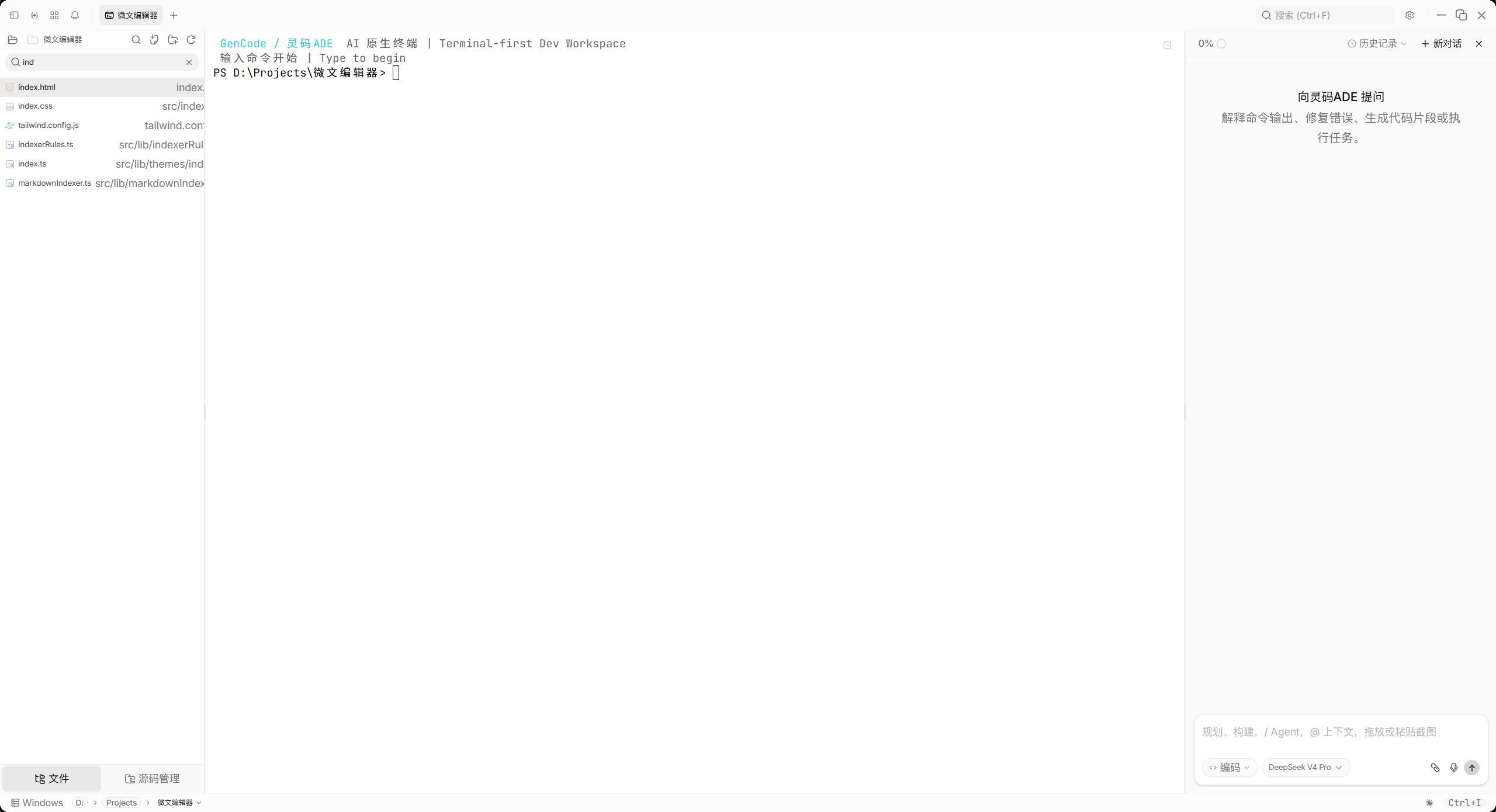 |
 |
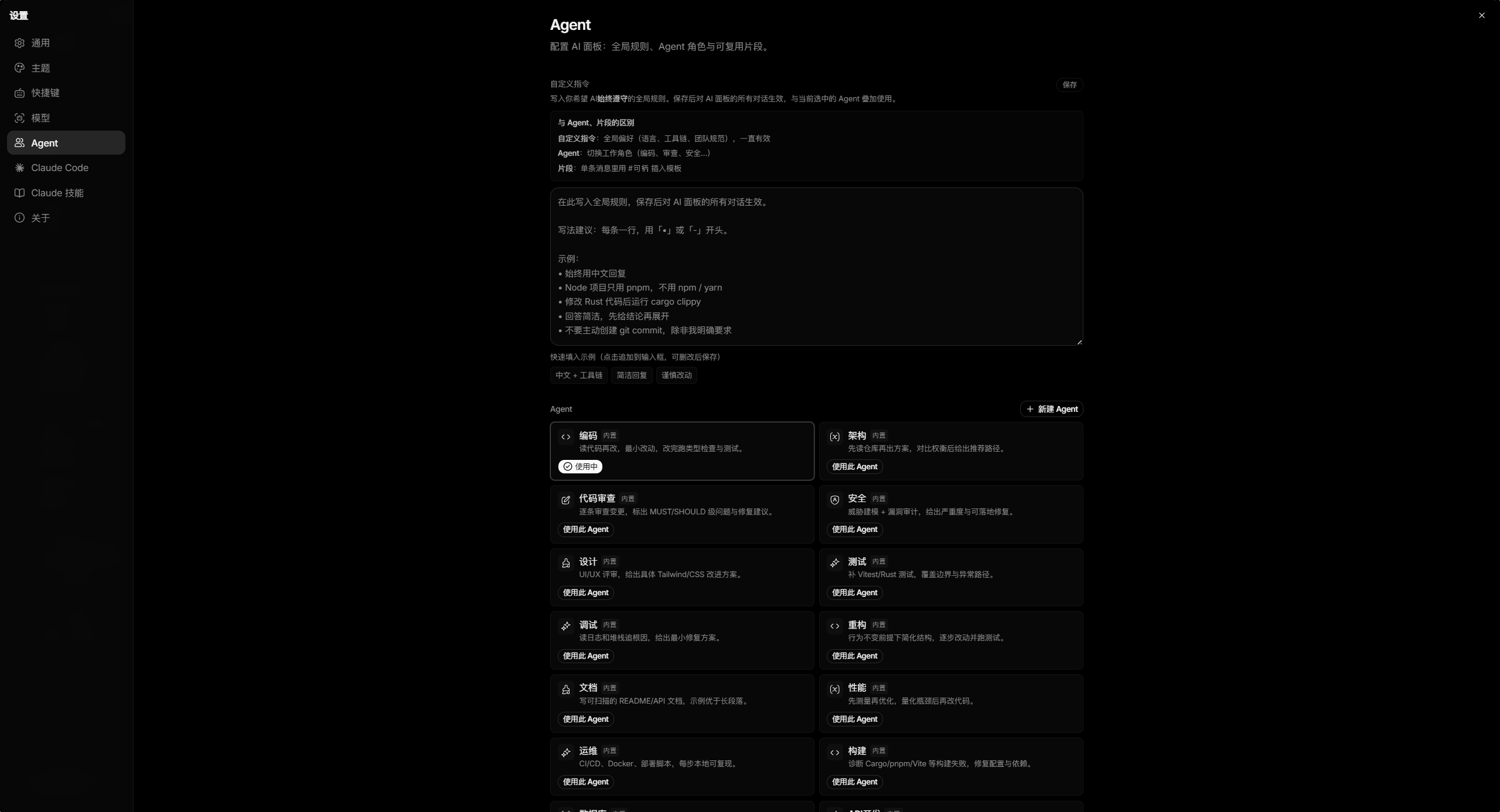
| 设置页面 / Settings | 内置 Agent 预设 / Built-in Agent presets |
|---|---|
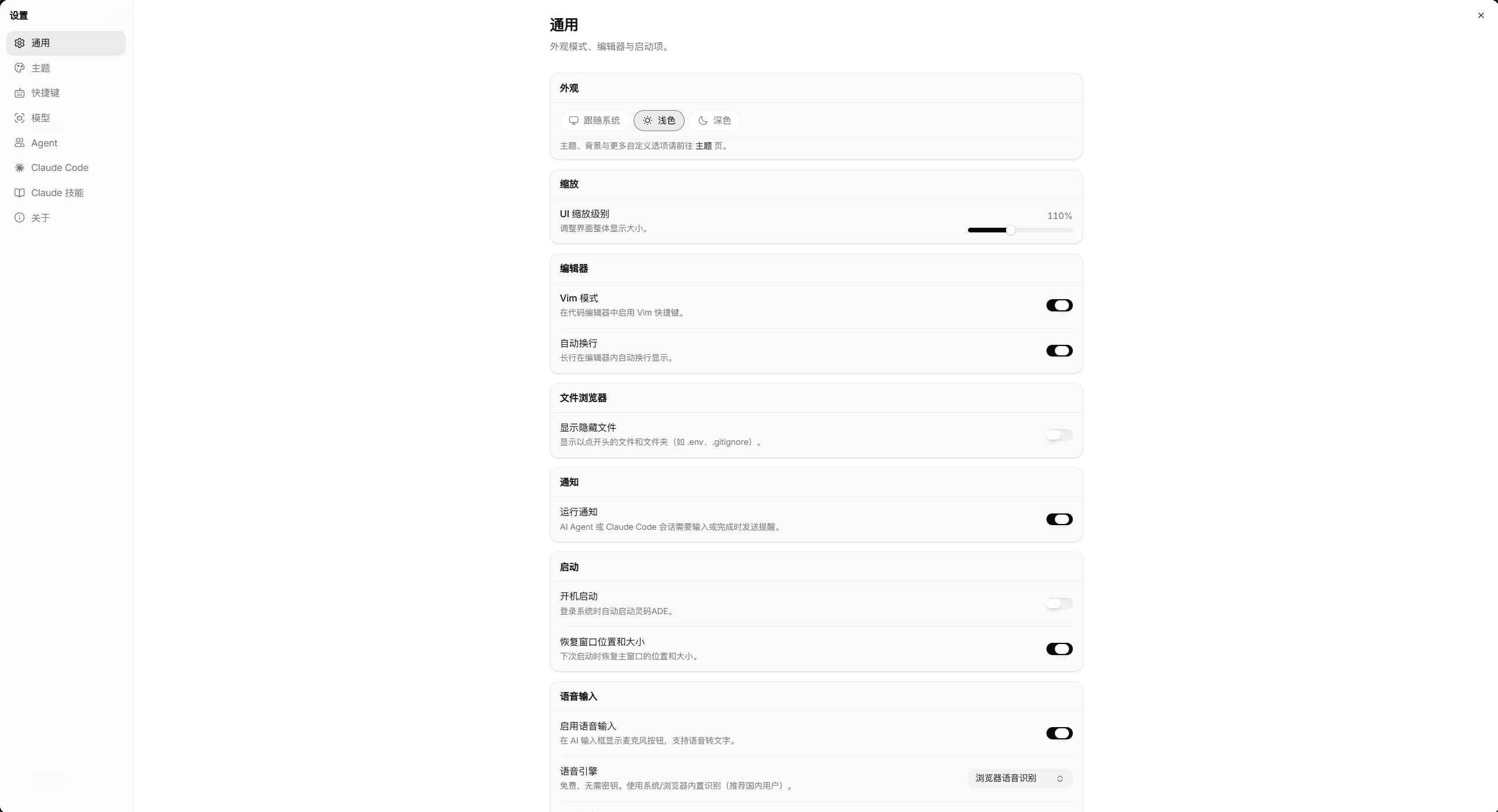 |
 |
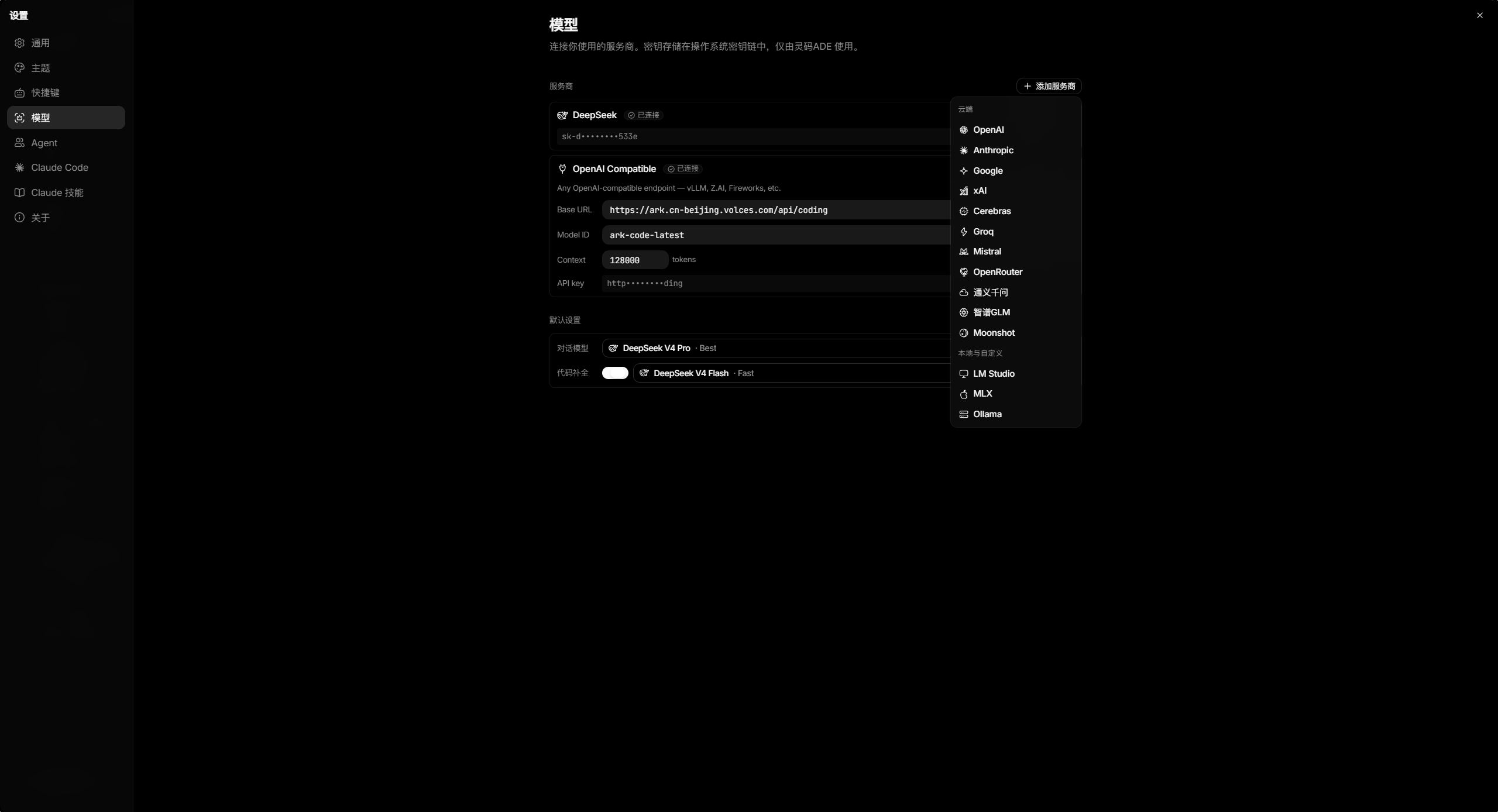
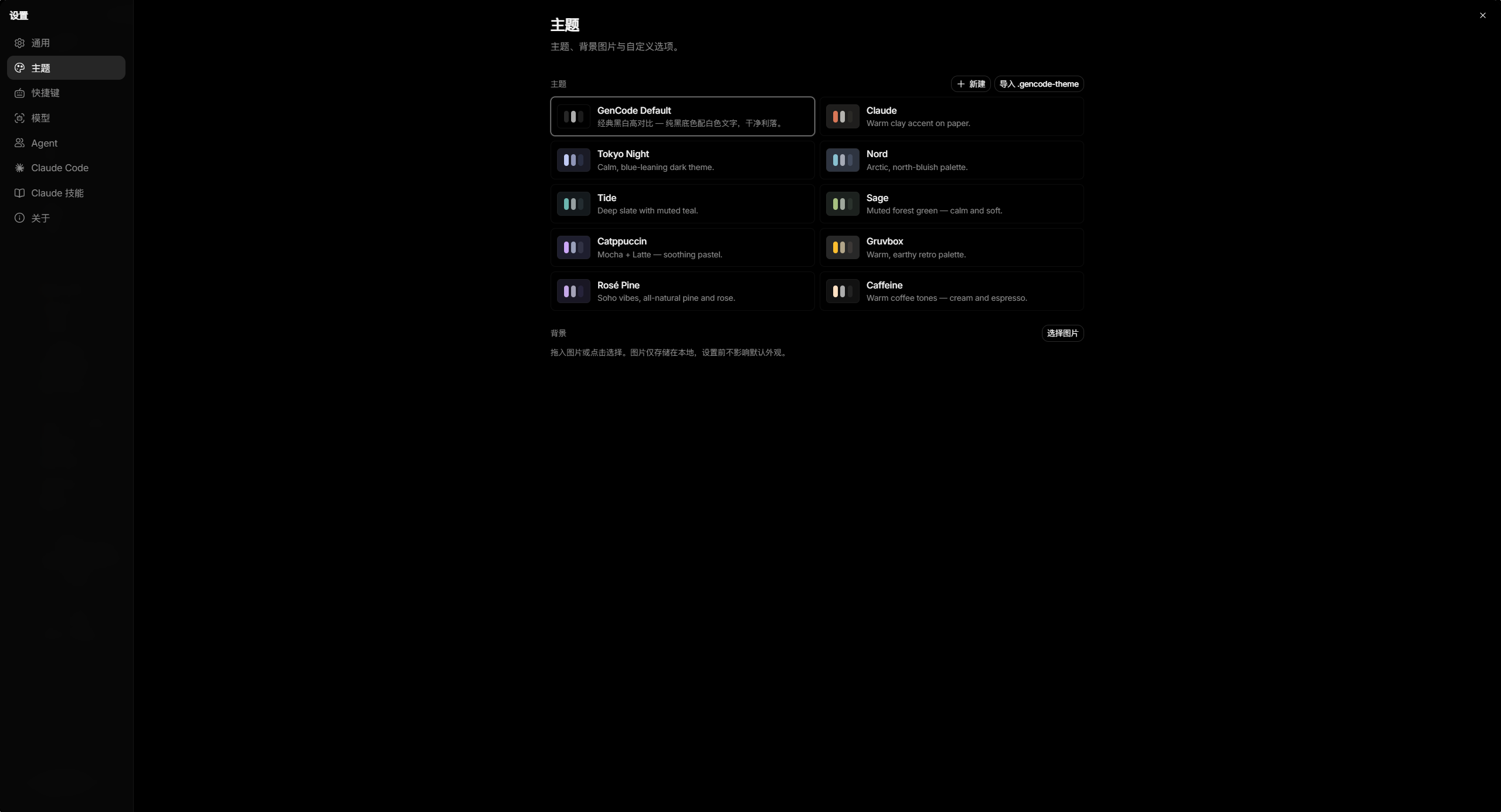
| 多模型支持 / Multi-model | 11 种主题 / 11 themes |
|---|---|
 |
 |
核心特性 / Key features
终端 / Terminal
- xterm.js WebGL 渲染,多标签,后台持续流式传输 / WebGL rendering, multi-tab, streams in background
- 原生 PTY:zsh / bash / pwsh / fish / cmd
- 分屏(水平/垂直)/ Split panes (horizontal & vertical)
- Windows WSL 支持 / WSL support
- 隐私终端(AI 不可读缓冲区)/ Private tab (AI cannot read buffer)
AI 助手 / AI assistant
- BYOK 多模型 / Multi-model BYOK: OpenAI / Anthropic / Google / xAI / Cerebras / Groq / DeepSeek / Mistral / OpenRouter / 通义千问 / 智谱 / Moonshot + 本地 LM Studio / Ollama
- Composer 附件:文件、粘贴截图、截屏 / Attachments: files, paste screenshot, screen capture
- 15 种内置 Agent 预设(编码/架构/审查/安全/设计/测试等)/ 15 built-in presets
- 选区提问
Ctrl+L/ Selection ask - 工具审批门控 / Tool approval gating
Claude Code 集成 / Claude Code integration
- 状态栏 CC 图标一键新建 Claude 终端 / One-click Claude terminal from status bar
- 每次启动前自动重新合并中文 locale,防止外部代理工具覆盖 / Re-merges Chinese locale on every launch
- MCP 服务器可视化管理 / Visual MCP server management
- 60+ 命令中文参考面板
Ctrl+Shift+?/ 60+ command reference panel - 一键安装/升级 Node.js + Claude Code CLI(国内镜像自动切换)/ One-click install with CN mirror fallback
编辑器 / Editor
- CodeMirror 6,支持 TS/JS/Rust/Python/Go/C/C++/Java/HTML/CSS/JSON/Markdown 等
- 11 种内置主题,GenCode Dark 为深色默认 / 11 built-in themes, GenCode Dark is default
- Markdown 预览/源码切换 / Markdown preview toggle
- AI 差异逐块审阅 / AI diff hunk-by-hunk review
- Vim 模式、自动换行、查找替换
Ctrl+H、格式化Ctrl+Shift+Alt+F
安全 / Security
- 沙箱策略引擎 3 档预设 / Sandbox policy engine (permissive / standard / strict)
- 密钥存储于 OS 原生 keychain,不落盘 / Keys in OS keychain only
- SSRF 防护 / SSRF protection
- 无遥测 / No telemetry
安装 / Installation
| 平台 / Platform | 文件 / File |
|---|---|
| Windows (安装包) | GenCode_1.0.0_x64-setup.exe |
| Windows (便携版) | GenCode_1.0.0_x64-portable.zip |
| macOS Apple Silicon | GenCode_1.0.0_aarch64.dmg |
| macOS Intel | GenCode_1.0.0_x64.dmg |
| Linux deb | GenCode_1.0.0_amd64.deb |
| Linux AppImage | GenCode_1.0.0_amd64.AppImage |
| Linux rpm | GenCode-1.0.0-1.x86_64.rpm |
Windows: 首次运行提示"Windows 已保护你的电脑"→ 点击更多信息 → 仍要运行。
Windows: If prompted "Windows protected your PC" → click More info → Run anyway.macOS: 如提示无法验证开发者,右键图标 → 打开。
macOS: If prompted about unverified developer, right-click → Open.
快捷键速查 / Quick shortcuts
| 快捷键 | 功能 / Action |
|---|---|
Ctrl+I |
开关 AI 面板 / Toggle AI panel |
Ctrl+L |
向 AI 提问选中内容 / Ask AI about selection |
Ctrl+, |
打开设置 / Open Settings |
Ctrl+Shift+? |
Claude Code 命令参考 / Command reference |
Ctrl+B |
切换侧边栏 / Toggle sidebar |
Ctrl+T |
新建终端标签 / New terminal tab |
Ctrl+H |
查找替换 / Find & replace |
Ctrl+Shift+Alt+F |
格式化文件 / Format file |
Ctrl+K |
快捷键搜索 / Shortcut search |