A GPU-rendered, terminal-first workspace for code, notes, agents, and multiplayer.
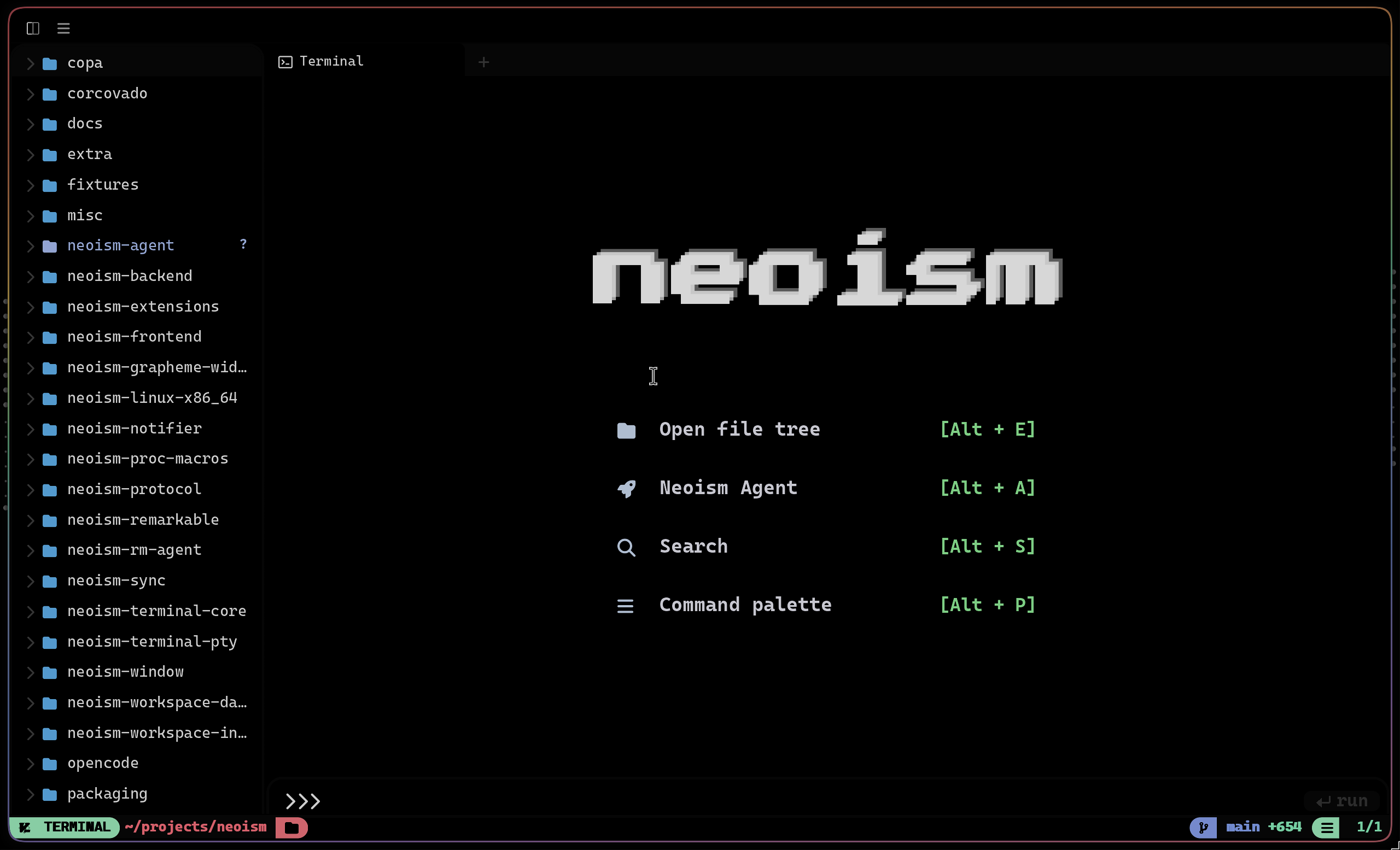
Neoism starts with the terminal instead of hiding it. Real shells, managed Neovim panes, Markdown notes, drawings, AI agents, diagnostics, files, and workspace navigation live together in one Rust-owned interface.
It is not an Electron IDE or a web terminal wrapper. The desktop app owns a native winit window and renders through sugarloaf; the browser client uses the same renderer family through Rust/WASM and WebGPU/WebGL.
- Terminal-first: real PTYs, GPU-rendered text, smooth scrollback, tabs, splits, and command navigation.
- An editor workspace: managed Neovim with a Rust-owned file tree, buffer tabs, diagnostics, finder, and workspace chrome.
- A place for project knowledge: Markdown, Neoism Notes, Mermaid, notebooks, EPUBs, and
.neodrawsketches live beside the code. - Agent-native: persistent local agent sessions, parallel sub-agents, LSP, shell and file tools, permissions, checkpoints, undo trees, and durable memory.
- Multiplayer and remote: a workspace daemon owns PTYs and shared state so the same workspace can be used from desktop, web, phone, or another laptop over Tailscale.
- Local-first: your files, terminals, notes, agents, and credentials stay on machines you control.
Neoism combines a native desktop app, a shared Rust UI, a Rust/WASM web renderer, a workspace daemon, and a standalone agent server. The terminal remains the center while every other surface participates in the same workspace.
Download the latest platform release from GitHub Releases, or use the platform installer below.
curl -fsSL https://raw.githubusercontent.com/parkers0405/neoism/main/scripts/install.sh | bashDownload and open Neoism-x86_64.msi, or install it from PowerShell:
irm https://raw.githubusercontent.com/parkers0405/neoism/main/install.ps1 | iexThe per-user installer requires no administrator rights and installs Neoism to
%LOCALAPPDATA%\Programs\Neoism. Windows Installer owns upgrades, PATH, Start
Menu integration, file associations, repair, and uninstall; user data remains
under AppData when Neoism is uninstalled.
Prebuilt releases install neoism, neoism-workspace-daemon, and neoism-agent. Neoism expects nvim and ripgrep on PATH.
Update an existing installation with:
neoism updateIf an older Neoism release cannot complete its update check, re-run the platform installer to bootstrap onto the latest release without using the old updater:
curl -fsSL https://raw.githubusercontent.com/parkers0405/neoism/main/scripts/install.sh | bashOn Windows, re-run the PowerShell installer shown above.
Close all running Neoism windows before reopening the newly installed version.
Build and run Neoism from source with:
git clone https://github.com/parkers0405/neoism.git
cd neoism
cargo build --bin neoism
./target/debug/neoism
Documentation ships inside Neoism instead of living in a separate website. Open Neoism Notes with Alt+N to browse guides for the editor, agent, daemon, multiplayer, extensions, configuration, keybindings, and troubleshooting.
| Path | Role |
|---|---|
neoism-frontend/desktop |
Native neoism app, window host, and desktop integration |
neoism-frontend/shared |
Shared UI, panels, layout, editors, and interaction policy |
neoism-frontend/wasm |
Rust terminal and chrome renderer for the browser |
neoism-frontend/web |
TypeScript web host and daemon client |
neoism-workspace-daemon |
PTYs, workspaces, pairing, remote sessions, and shared state |
neoism-agent |
Agent server, CLI, providers, tools, permissions, and memory |
neoism-terminal-core |
Terminal parser, grid, selections, and effects model |
sugarloaf |
Native and web GPU rendering |
neoism-protocol |
Wire types shared by clients and the daemon |
Neoism is open source under the MIT License. Its terminal core and GPU renderer descend from Rio, which descends from Alacritty. The editor, agent runtime, workspace daemon, sync layer, notebooks, drawings, and Neoism UI are first-party. See NOTICE for attribution.