A collection of free, custom-built plugins for Final Cut Pro X, made by Tapio Haaja (tap5a). They are here to speed up common editing tasks, add clean animations, and help focus your audience's attention, all without wrestling with keyframes.
Everything in this repo is free to download and use. Grab the .zip you need, drop it into the right Motion Templates folder, and it shows up inside Final Cut Pro X.
| Plugin | Type | What it does | Requires |
|---|---|---|---|
| Simple Text Revealer | Title | 16 clean ways to reveal or conceal text | FCPX 10.3 |
| Quick In-Out Animator | Effect | Animate elements in and out, no keyframes | FCPX 10.3 |
| Zoom Highlight | Effect | Highlight part of the frame by zooming into it | FCPX 10.3 |
| Multiline Text Background 2 | Title | Autosizing background per line, TikTok-style | FCPX 10.7 |
| Autosize Text Background | Title | Background that resizes to fit the text | FCPX 10.3 |
| Quick In-Out Revealer | Effect | Reveal or conceal a selected area, no masks | FCPX 10.3 |
| Quick In-Out Bouncer | Effect | Bounce elements in and out, no keyframes | FCPX 10.3 |
| Multiline Text Background (Legacy) | Title | Older version of the multiline background | FCPX 10.3 |
Each plugin installs the same way. The only difference is whether it goes in the Titles folder or the Effects folder (the table above tells you which).
- Download the
.zipfor the plugin you want (links in each section below). - Unzip it.
- If you do not already have a
Tap5afolder, create one inside the correct location:- Titles:
~/Movies/Motion Templates/Titles/Tap5a/ - Effects:
~/Movies/Motion Templates/Effects/Tap5a/
- Titles:
- Move the unzipped plugin folder into that
Tap5afolder. - Restart Final Cut Pro X if it was open. The plugin appears under the
Tap5acategory in your Titles or Effects browser.
Tip:
~/Moviesis the Movies folder inside your home directory. In Finder you can pressCmd + Shift + Gand paste the path to jump straight there.
16 simple, clean and modern ways to reveal or conceal your text quickly and easily.
Features
- Super quick and easy to use
- 16 revealers and concealers: Fade In/Out, Wipe From/To (Left, Right, Top, Bottom), Behind From/To (Left, Right, Top, Bottom), Split From/To (Horizontal, Vertical), Cursor From/To (Left, Right), Modern From/To (Left, Right, Top, Bottom)
- Adjustable reveal/conceal time (0.1s to 1s)
- Adjustable motion blur amount
Requires: Final Cut Pro X 10.3
Install to: ~/Movies/Motion Templates/Titles/Tap5a/
Note: the title should be at least 2 seconds long for both reveal and conceal to work reliably.
Download Tap5a_Simple_Text_Revealer.zip

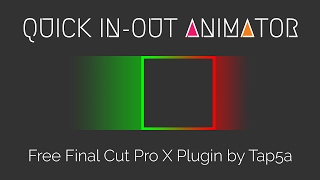
Quickly animate elements in and out without touching keyframes, transitions or secondary storylines.
Features
- Super quick and easy to use
- 18 in-out animations: Fade, Blur, Fly From/To (Left, Right, Top, Bottom), Float From/To (Left, Right, Top, Bottom), Wipe From/To (Left, Right, Top, Bottom), Zoom In/Out, Scale X In/Out, Scale Y In/Out
- Adjustable animation time (0.1s to 1s)
- Scale animation size and move the center point
- Adjustable motion blur amount
Requires: Final Cut Pro X 10.3
Install to: ~/Movies/Motion Templates/Effects/Tap5a/
Note: the element should be at least 2 seconds long for both in and out animations. For elements smaller than your project resolution, compound clip the element first.
Download Tap5a_Quick_In-Out_Animator.zip
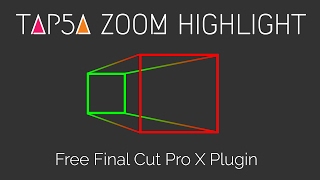
Highlight part of your picture by zooming it closer. Lots of options and an easy setup mode.
Features
- Easy setup mode
- Rectangle or circle highlight area, with adjustable size and roundness
- Rotate the highlight area and/or the zoomed area
- Adjustable zoom amount and zoom time (0.5s to 2s)
- Sharpen the highlight area
- Add a border or drop shadow to the highlight area
- Blur, desaturate or color-overlay the background
Requires: Final Cut Pro X 10.3
Install to: ~/Movies/Motion Templates/Effects/Tap5a/
Download Tap5a_Zoom_Highlight.zip
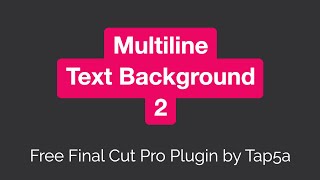
A faster, more stable and feature-rich version of the original Multiline Text Background. Great for TikTok-style texts, titles, lower thirds and subtitles.
Features
- Multiline text with an autosizing background for each line
- Works with all text inspector parameters, so you can style text freely
- Multiline background or a single background
- Adjustable background color, opacity, roundness, margins and offset (horizontal, vertical)
- Stencil Text option to punch a hole through the background
- Optional border with adjustable color, width, opacity and offset, and can sit behind the background
- Optional drop shadow with adjustable color, opacity, blur, distance and angle
- Fine-tune size and rotation with scale and rotation transforms
Requires: Final Cut Pro X 10.7
Install to: ~/Movies/Motion Templates/Titles/Tap5a/
Note: limited to a maximum of 10 lines to keep performance smooth. Pairs well with Quick In-Out Animator, Bouncer and Revealer for animation.
Download Tap5a_Multiline_Text_Background_2.zip
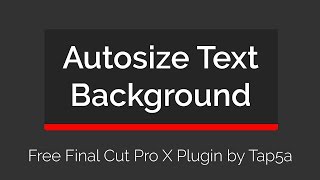
A text background that autosizes itself based on the text boundaries. Handy for subtitles, titles and lower thirds.
Features
- Background that resizes automatically to fit the text
- Works with all text inspector parameters, so you can style text freely
- Adjustable background color, opacity and roundness
- Stencil Text option to punch a hole through the background
- Optional border with adjustable color, width and opacity
- Choose which sides have a border (all, top, bottom, right, left, top and bottom, right and left)
- Adjustable margins (all, top, bottom, right, left)
Requires: Final Cut Pro X 10.3
Install to: ~/Movies/Motion Templates/Titles/Tap5a/
Download Tap5a_Autosize_Text_Background.zip
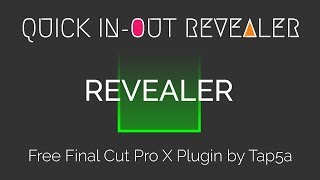
Quickly reveal or conceal a selected area without keyframes, masks or transitions. Great for revealing texts, logos and similar.
Features
- Super quick and easy to use
- Select the area to reveal (position, width, height)
- 18 revealers and concealers: Fade In/Out, Zoom In/Out, Wipe From/To (Left, Right, Top, Bottom), Behind From/To (Left, Right, Top, Bottom)
Requires: Final Cut Pro X 10.3
Install to: ~/Movies/Motion Templates/Effects/Tap5a/
Download Tap5a_Quick_In-Out_Revealer.zip
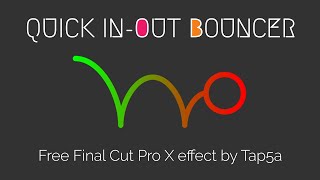
Quickly bounce elements in and out without keyframes, transitions or secondary storylines.
Features
- Super quick and easy to use
- Choose overshoot or bounce-back
- 14 in-out bounces: Fly From/To (Left, Right, Top, Bottom), Float From/To (Left, Right, Top, Bottom), Zoom From/To (In, Out)
Requires: Final Cut Pro X 10.3
Install to: ~/Movies/Motion Templates/Effects/Tap5a/
Download Tap5a_Quick_In-Out_Bouncer.zip
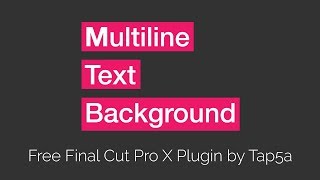
The original multiline text background with autosizing per line. Kept here for older projects. For new work, use Multiline Text Background 2 above.
Features
- Multiline text with an autosizing background for each line
- Optimize performance by choosing the max number of lines needed (3, 6, 12)
- Works with all text inspector parameters, so you can style text freely
- Adjustable background margins and offset (horizontal, vertical)
- Stencil Text option to punch a hole through the background, plus an optional border
Requires: Final Cut Pro X (legacy version support)
Install to: ~/Movies/Motion Templates/Titles/Tap5a/
Download Tap5a_Multiline_Text_Background.zip
These plugins are built and maintained by Tapio Haaja under the tap5a handle. They are free to download and use. Feedback and issues are welcome via the repo's Issues tab.
If they save you time, a mention or a link back is always appreciated.